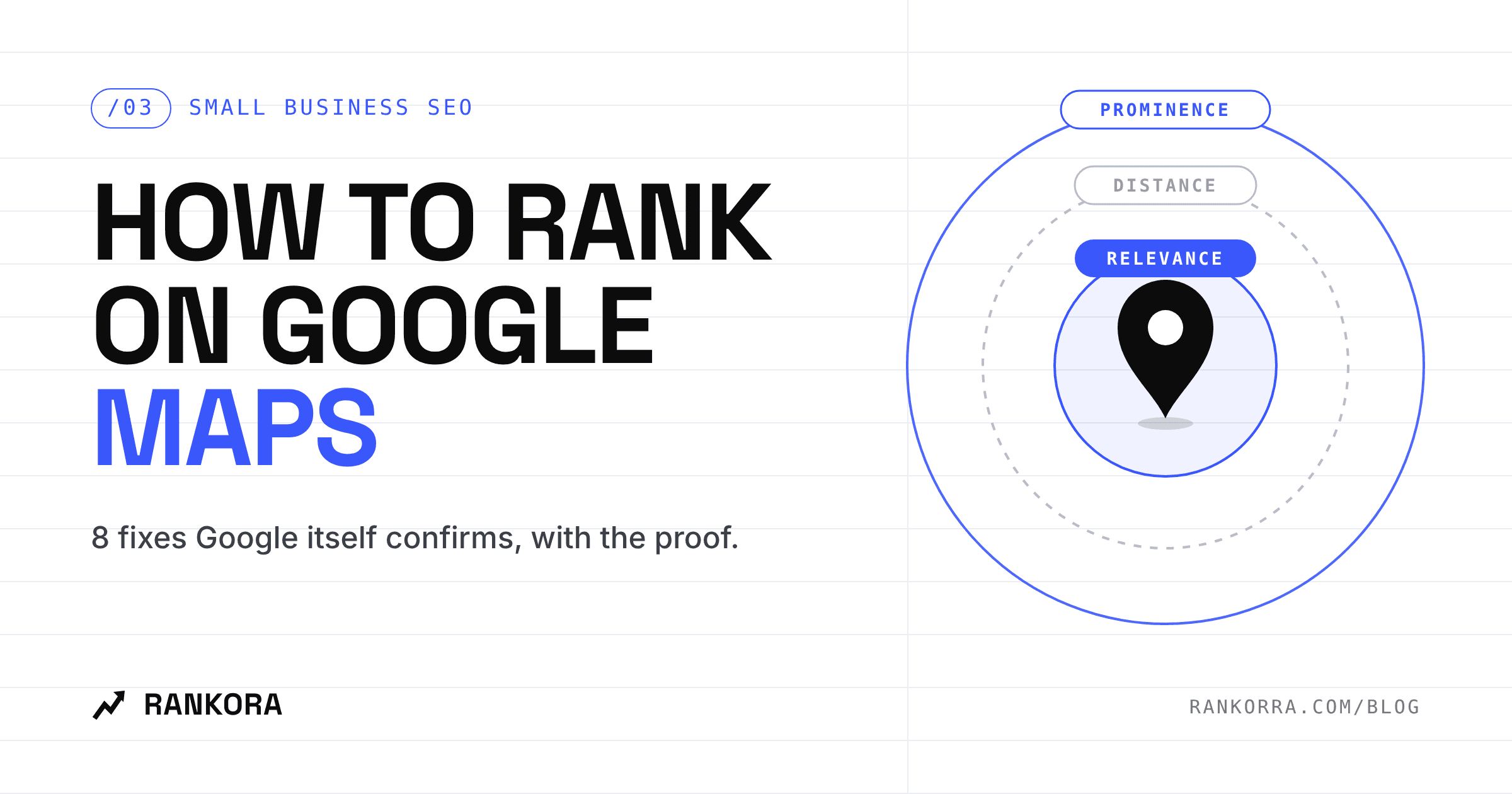
If you want to know how to rank on Google Maps, start with Google's own answer: local results are decided mainly by relevance, distance and prominence, and there is no way to pay for a better position. You cannot change distance. You can change the other two, and every fix below is pulled from Google's documentation, with a screenshot of the source.
Most local SEO advice online is guesswork dressed up as a checklist. This post is the opposite. Each step links to the exact Google page that backs it, so you can show a client the proof instead of asking them to trust you.
It matters more in 2026 than it did a year ago. Google Maps now answers conversational questions through Gemini, and that feature launched in India and the US first. Your Business Profile is no longer only a listing. It is the data an AI reads before it recommends anyone.
What does Google say decides Google Maps rankings?
Google's Tips to improve your local ranking page names three factors and states plainly that local ranking cannot be requested or bought.
Google Business Profile Help page highlighting that local results are based on relevance, distance and popularity Source: Google Business Profile Help, "Tips to improve your local ranking on Google."
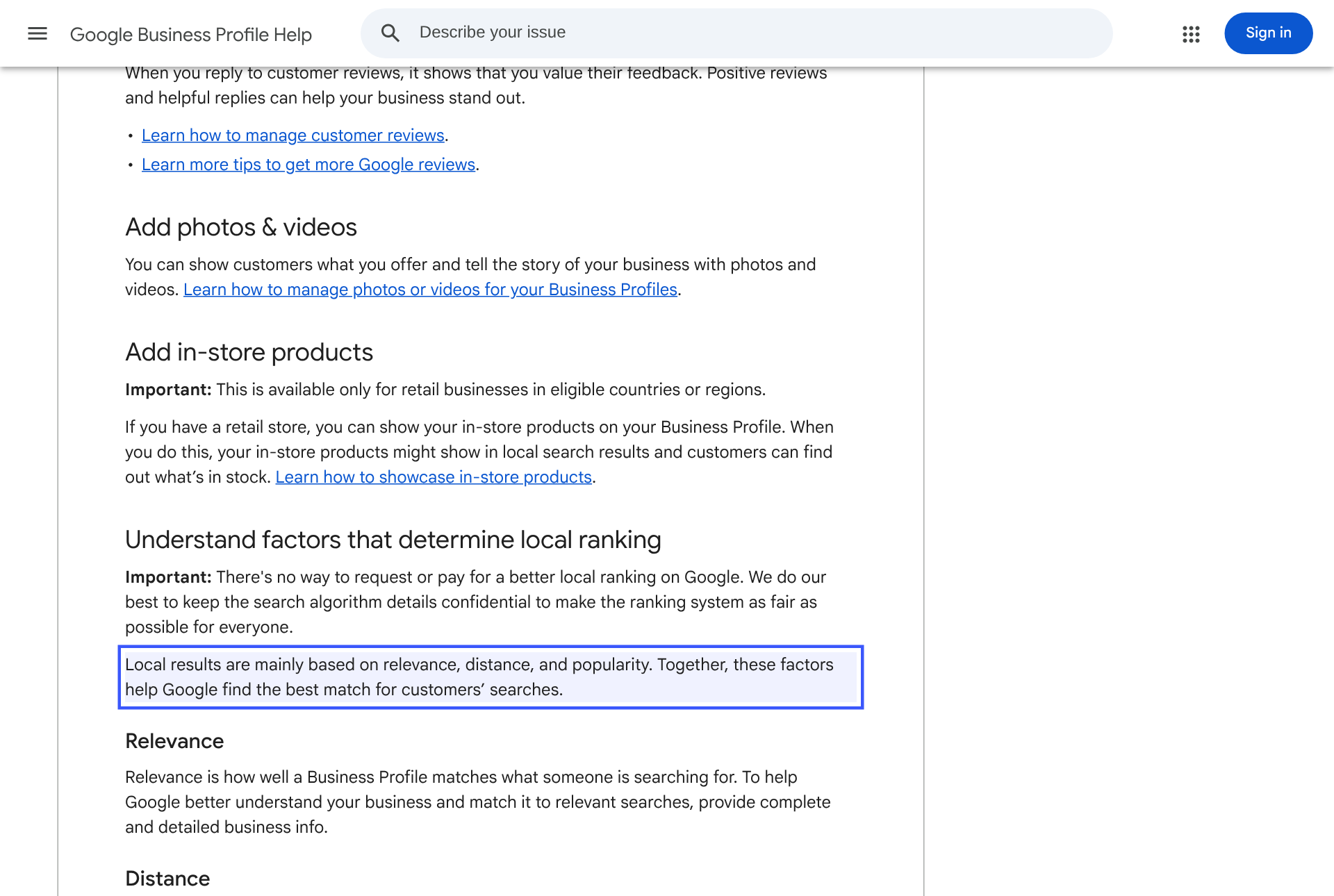
Factor | What Google means | Can you change it? |
|---|---|---|
Relevance | How well your profile matches what someone searched | Yes: complete, accurate profile info |
Distance | How far you are from the searcher | No |
Prominence | How well known you are, including links to your site, review count and rating | Yes: reviews, links, real-world reputation |
One detail worth noticing: the page's introduction calls the third factor "popularity," while the section heading underneath it says "Prominence." Same factor, two labels. Either way, Google describes it using links to your business and your reviews.
So the job splits cleanly. Relevance is a data-entry problem you can fix this afternoon. Prominence is a reputation problem you build every week.
Step 1: Make your business name match your signboard
This is the fastest way to lose a profile, and the most common shortcut small businesses take.
Google's guidelines for representing your business say your name must reflect the real-world name used on your storefront, website and stationery.
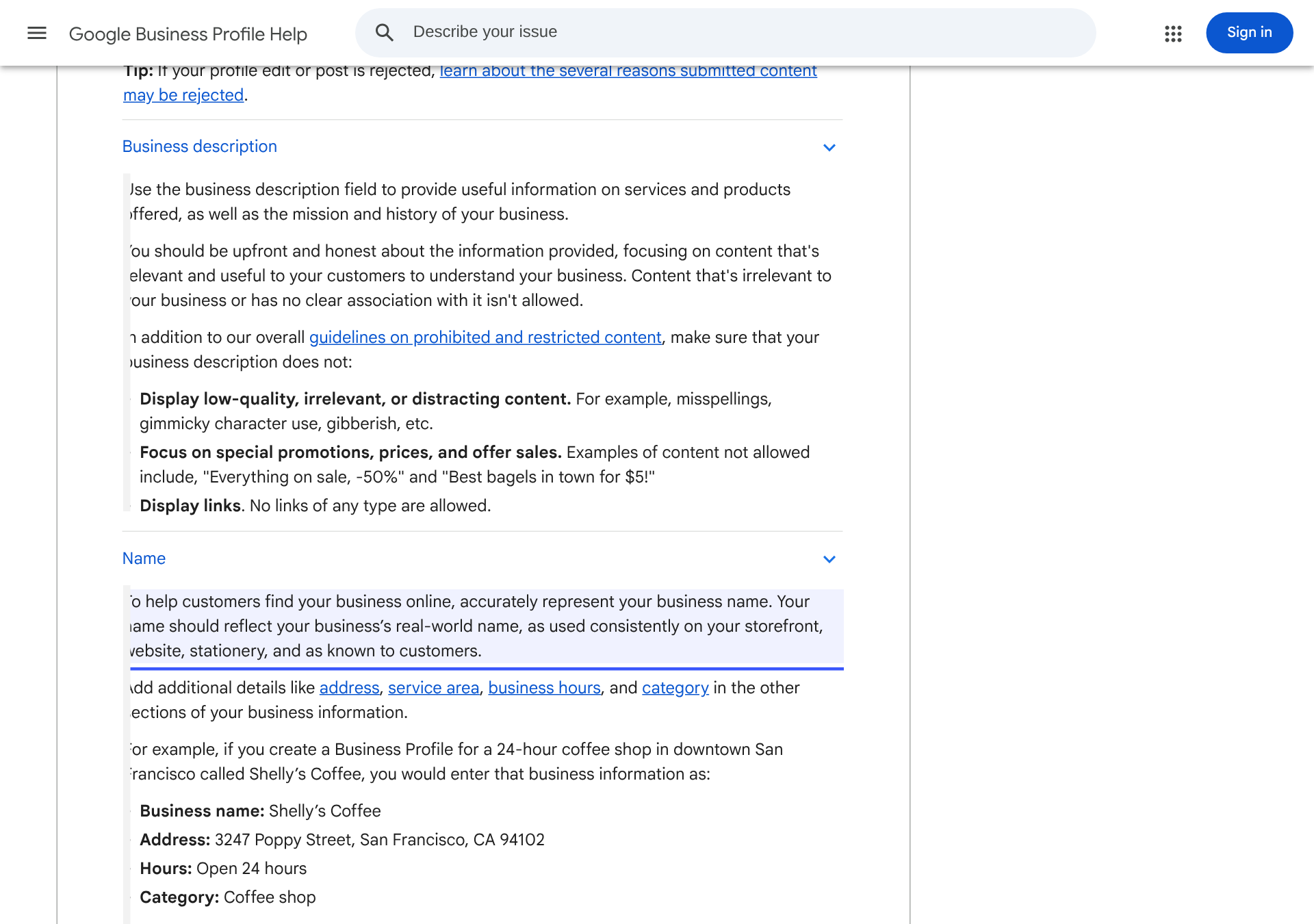
Google guidelines stating a business name should reflect the real-world name used on storefront, website and stationery Source: Google, "Guidelines for representing your business on Google." Name section expanded.
The same page lists what does not belong in the name field, with examples. "Midas Auto Service Experts" is rejected; "Midas" is accepted. "Equinox near SOHO" is rejected; "Equinox SOHO" is accepted because that is the actual branch name.
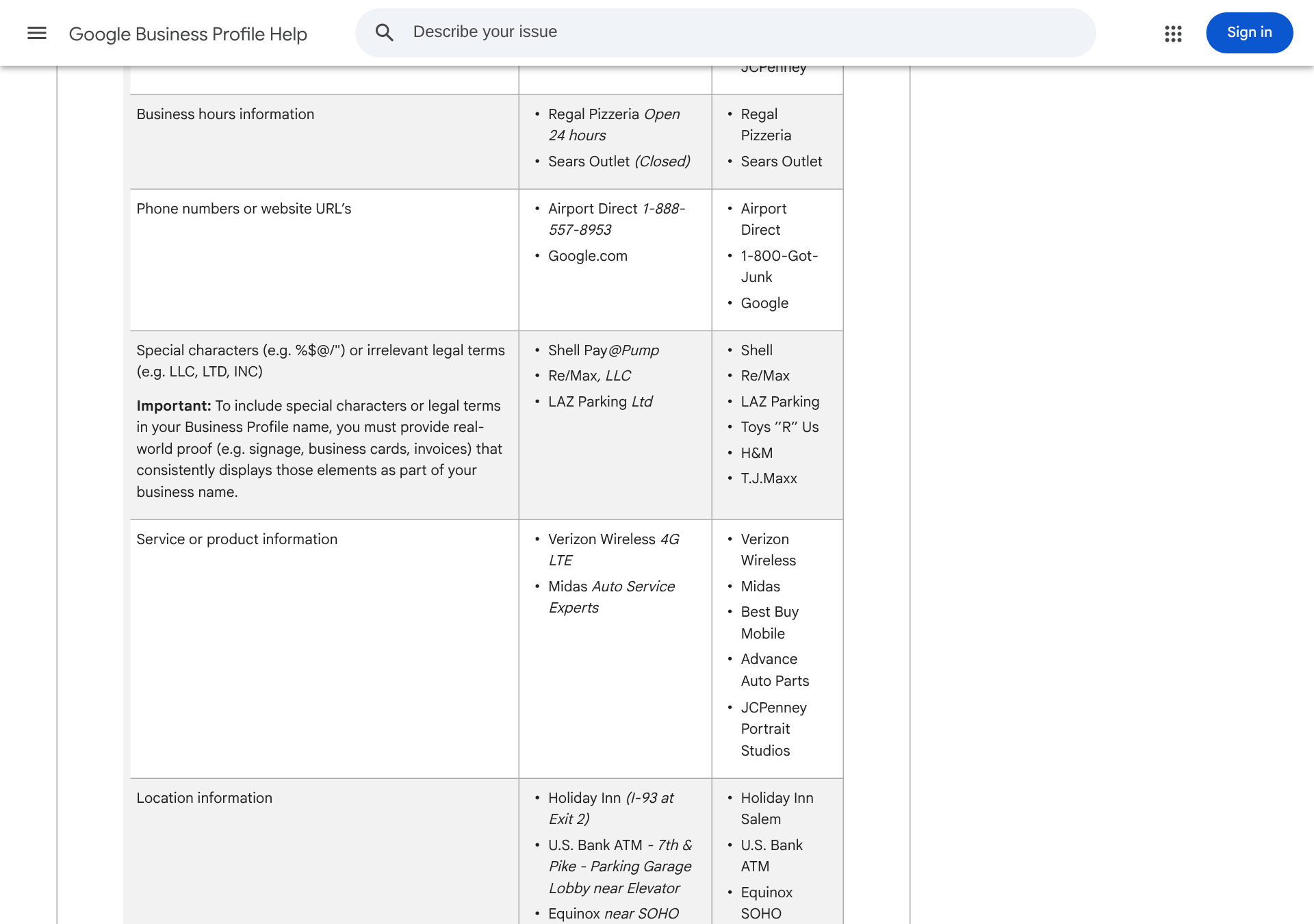
Google's table of unacceptable and acceptable business names, including service and location examples Source: Google, same page. Service and location additions are listed as not acceptable.
What to do: if your name field reads "Sharma Dental Clinic Best Dentist in Raipur," change it to "Sharma Dental Clinic" today. Stuffing a keyword into the name can get a profile suspended, and a suspended profile ranks for nothing.
Step 2: Pick the fewest categories that describe your core business
Categories are where relevance actually lives. Google's guidance is to choose the fewest categories it takes to describe your overall core business, and not to use categories as keywords.
A bakery that also sells coffee is a bakery. Adding "Cafe," "Dessert shop," "Wedding cake supplier" and "Coffee store" dilutes the signal instead of strengthening it. Choose the primary category that matches what most customers walk in for, then add secondary categories only for services you genuinely offer.
Step 3: Fill every field Google gives you
Google's ranking page tells you directly that complete and detailed business information improves relevance. The fields it calls out:
Full address, if customers visit you, or an accurate service area if you travel to them
Regular hours and special hours for holidays
Business category
Attributes such as parking, Wi-Fi or wheelchair access
Special hours are the field most owners skip. During Diwali or a long weekend, a profile showing "Open" when you are shut produces the worst possible review: a customer who drove there for nothing.
Step 4: Verify the profile
Google says verification shows you are authorised to represent the business and makes it more likely to appear in results. An unverified profile is a profile Google is not sure about. Finish verification before you spend time on anything else in this list.
Step 5: Build a steady flow of new reviews, without incentives
Reviews feed prominence directly, and Google's Tips to get more reviews page is explicit about the line you cannot cross.
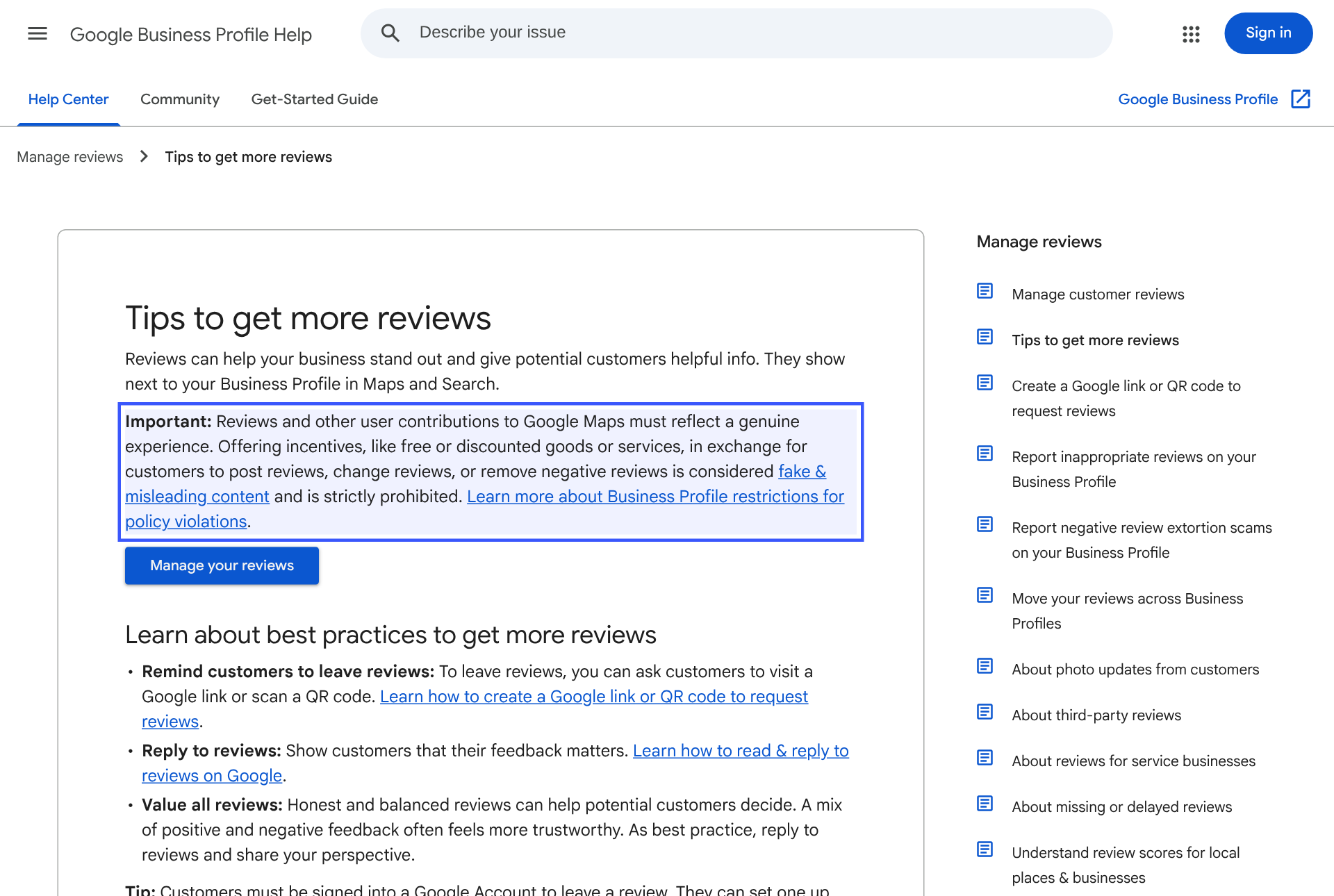
Google policy stating that offering incentives in exchange for reviews is considered fake and misleading content and is strictly prohibited Source: Google Business Profile Help, "Tips to get more reviews."
Offering discounts or free services in exchange for posting, changing or removing reviews counts as fake and misleading content. That includes the "10% off if you leave us 5 stars" card at the billing counter.
What Google does allow: asking customers to review you through a Google link or a QR code. Print the QR code. Put it on the receipt, the counter and the WhatsApp message you send after delivery.
If you run campaigns for US clients, the legal risk is bigger than a suspension. The US Federal Trade Commission's final rule banning fake reviews and testimonials took effect on October 21, 2024, and it prohibits rewarding customers for positive reviews.
Why steady beats a one-time push: BrightLocal's Local Consumer Review Survey 2026, based on 1,002 US consumers, found that 74% only consider reviews from the past three months. Fifty reviews collected in one month and nothing after will look stale by the next quarter.
Step 6: Reply to every review, including the bad ones
Google lists responding to reviews as one of its own ranking tips, saying replies show you value customer feedback.
The buyer side agrees. The same BrightLocal survey found that 89% of consumers expect owners to respond, and 80% are likely to choose a business that replies to all of its reviews. Only 19% expect a same-day reply, so a 48-hour routine is enough.
A good reply to a negative review names the specific problem, says what changed, and gives a direct contact. It is written for the next hundred people who read it, not the one person who left it.
Step 7: Add real photos and videos
Google's ranking page includes adding photos and videos to show what you offer. Upload photos of the storefront from the street, so people recognise it on arrival, plus the interior, the team and your actual products. Skip stock images. A customer can tell, and so can a review that says "looks nothing like the photos."
Step 8: Make your website agree with your profile
Prominence includes how many websites link to your business. That means the work does not stop at the profile.
Three checks on your own site:
The name, address and phone number match the profile exactly
There is a page for each core service, using the same words customers search
The site carries LocalBusiness structured data, so machines read the same facts your profile states. Our developer guide to structured data for AI answer engines walks through the markup.
Then earn mentions from places that already matter locally: your trade association, the local news site, suppliers who list their stockists.
Why your Google Maps profile now feeds AI answers
This is the part most local SEO guides have not caught up with.
On March 12, 2026, Google introduced Ask Maps, a Gemini-powered feature that answers conversational questions with a customised map. Google said it began rolling out in the US and India first.
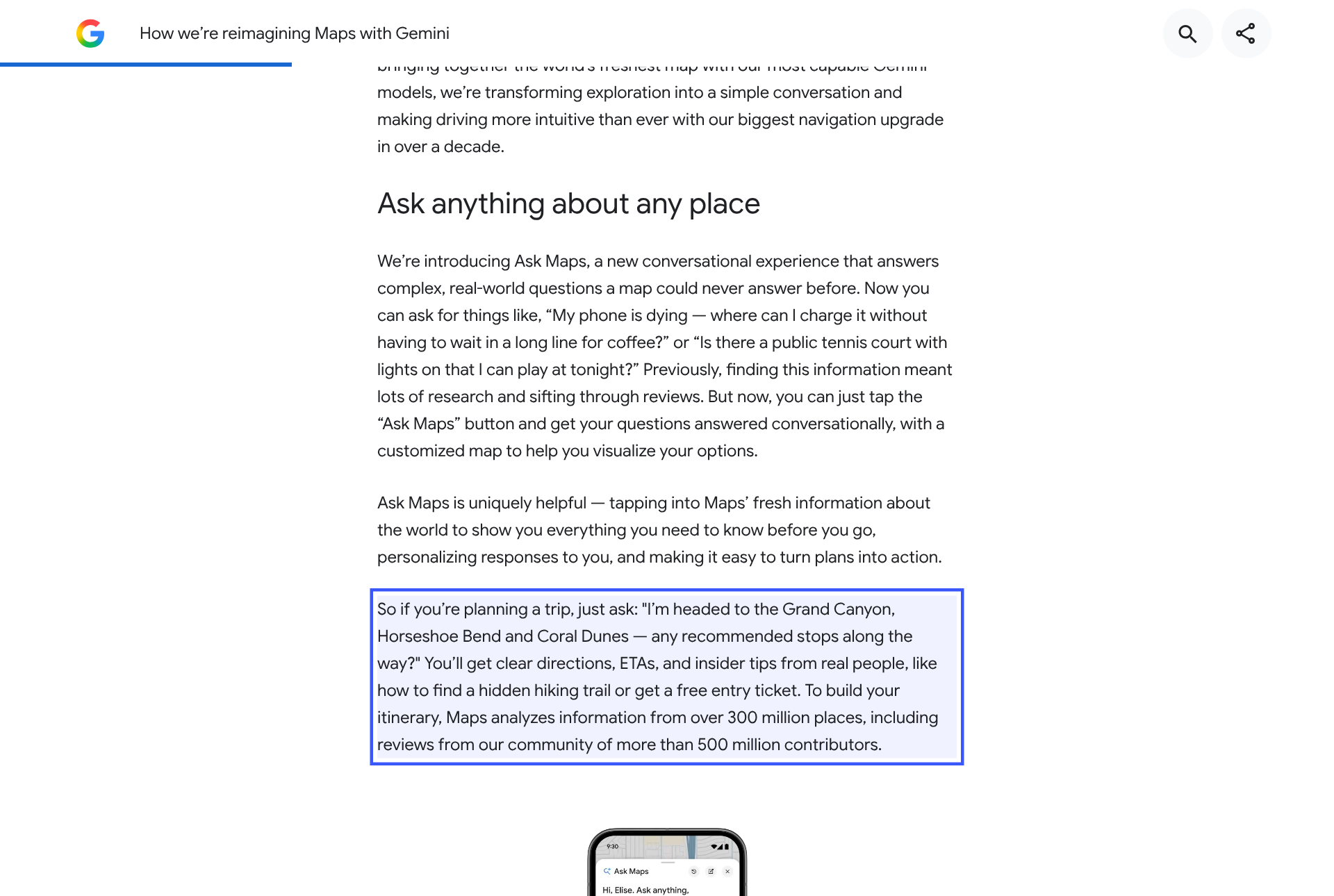
Google blog post on Ask Maps stating Maps analyzes information from over 300 million places, including reviews from more than 500 million contributors Source: Google, "How we're reimagining Maps with Gemini," March 12, 2026.
Google says Ask Maps draws on information from over 300 million places, including reviews from its contributor community. Your profile data and your reviews are part of what it reads before it suggests anyone.
The same data reaches beyond Maps. In October 2025, Google launched Grounding with Google Maps in the Gemini API, letting developers connect Gemini to data on more than 250 million places.
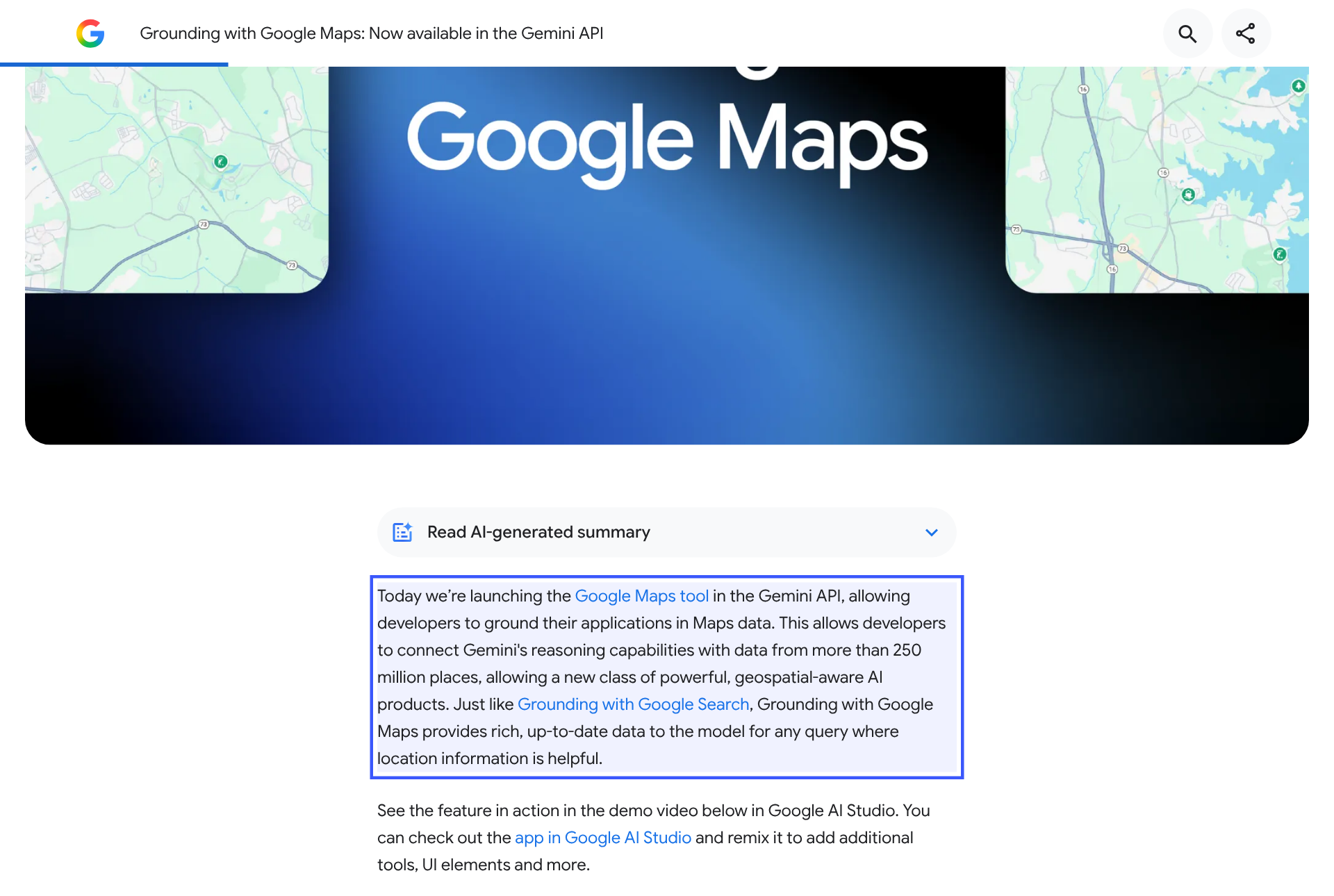
Google blog announcing Grounding with Google Maps in the Gemini API with data from more than 250 million places Source: Google, "Grounding with Google Maps: Now available in the Gemini API."
And customers are already asking AI for local picks. BrightLocal's 2026 survey found that use of ChatGPT and other generative AI tools for local recommendations jumped from 6% to 45% in a year.
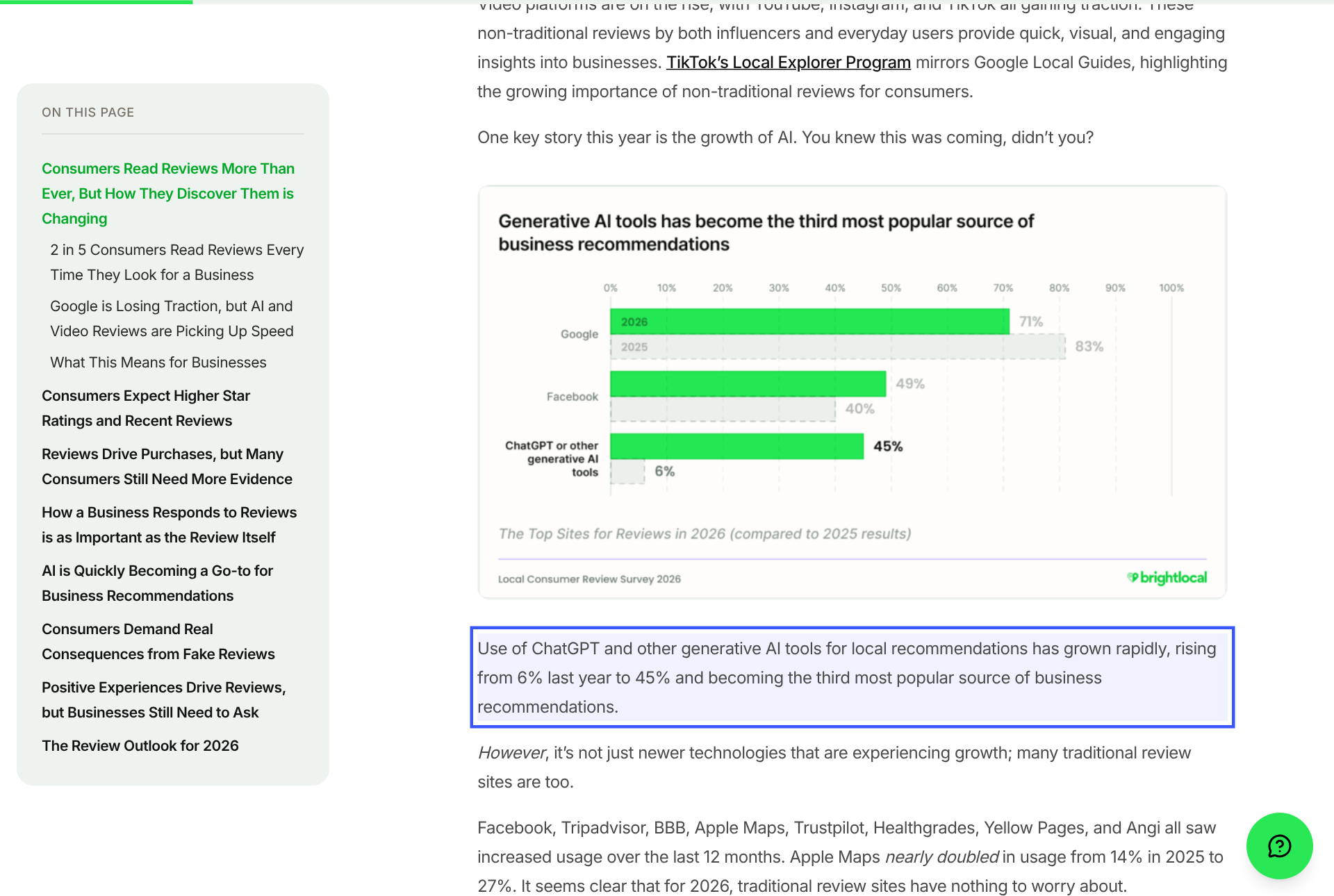
BrightLocal 2026 chart showing ChatGPT and generative AI tools used by 45% of consumers for business recommendations, up from 6% Source: BrightLocal, Local Consumer Review Survey 2026. Vendor research, 1,002 US respondents.
The takeaway is practical: the eight steps above are now GEO work as well as SEO work. Clean, consistent, well-reviewed data is what a model can quote with confidence. We saw the same pattern when a site we ranked #1 on Google started getting cited by ChatGPT with no separate GEO work done on it.
What to do this week
Today: fix the business name field and trim categories to your core business.
Today: fill special hours for the next festival or holiday on your calendar.
This week: print a review QR code and add the Google review link to your post-sale message.
This week: reply to every unanswered review on the profile, oldest first.
Every week: track where you rank for your 5 to 10 money keywords, and check whether AI assistants mention you. Rank tracking covers the first; AI visibility tracking across ChatGPT, Perplexity and Gemini covers the second.
If you are still choosing tools, our SEO and GEO tool stack for small businesses under $50 a month lists the free Google tools to set up first.
FAQ: ranking on Google Maps
Can I pay Google to rank higher on Google Maps?
No. Google's own help page states there is no way to request or pay for a better local ranking. Ads can appear above local results, but they are labelled as sponsored and do not change your organic position in the map results.
How long does it take to rank on Google Maps?
Profile fixes such as name, categories and hours are processed quickly, but prominence takes longer because it depends on reviews and links accumulating. Expect the data fixes to show first and reputation gains to build over months, especially since most customers only weigh recent reviews.
Does adding keywords to my business name help it rank?
It can look like it works for a while, but Google's guidelines list service and location add-ons in the name as not acceptable, and violations can lead to suspension. A suspended profile disappears from Maps entirely, so the risk outweighs any short-term gain.
How many Google reviews does a small business need?
Google publishes no target number. What matters is a steady flow of recent, genuine reviews, since BrightLocal's 2026 survey found 74% of consumers only consider reviews from the past three months. Compare your count and recency against the businesses currently ranking above you for your main keyword.
Is it allowed to ask customers for Google reviews?
Yes. Google explicitly suggests sharing a Google link or QR code to request reviews. What is prohibited is offering anything in exchange for a review, or for changing or removing one, including discounts and freebies.
Does my Google Business Profile affect AI search results?
Increasingly, yes. Google's Ask Maps feature uses Gemini to analyse information from over 300 million places, including reviews, and the Gemini API can be grounded in Google Maps data. An accurate, well-reviewed profile gives these systems better facts to work with.
The one thing that matters most
Distance is fixed. Everything else on this list is data and reputation, and both compound. Fix the profile once, then protect the weekly habit: new reviews in, every review answered, rankings and AI mentions checked. That habit is what separates the business in the top three from the one on page two of the map.