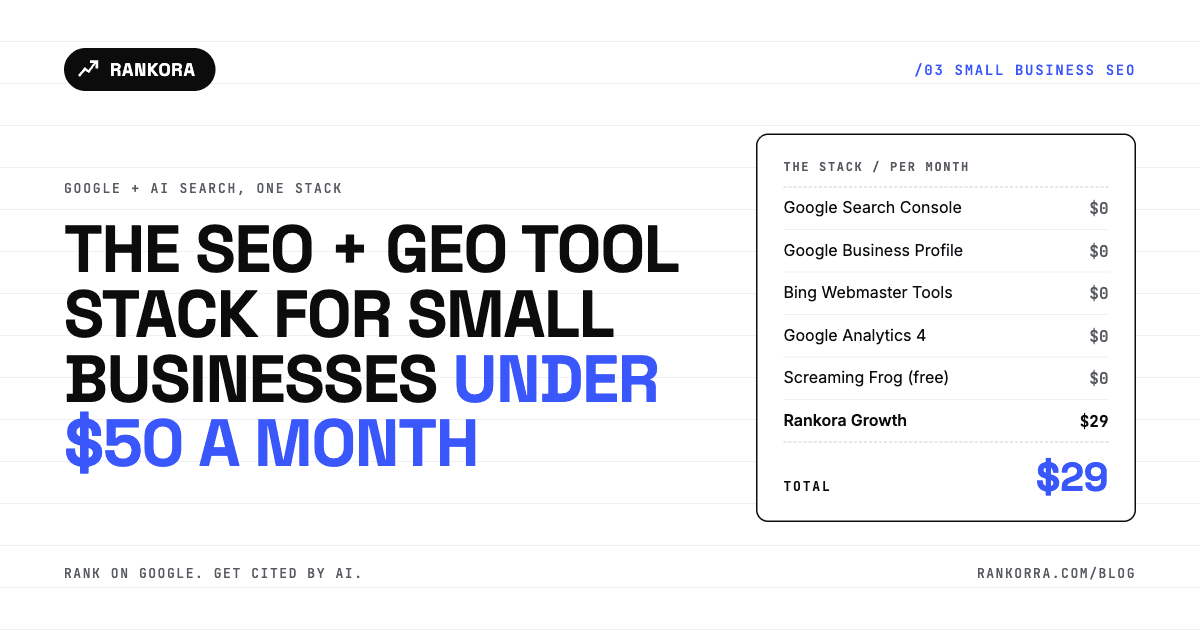
A small business can cover Google rankings and AI search visibility for $29 a month. Five free tools handle indexing, local listings, AI citation data from Bing, traffic analytics and basic crawling. One paid tool covers what the free ones can't: keyword research, daily rank tracking and tracking whether ChatGPT, Perplexity, Gemini and Claude mention you.
That's the whole answer. The rest of this post is which tool does what, where each one stops, and how to run the stack in 30 minutes a week.
Most small businesses don't have an SEO problem. They have a tool problem. They either pay enterprise prices for features they never open, or they run on free tools alone and can't see half of what's happening. This stack fixes both.
What should SEO tools for small business actually cover?
Before picking SEO tools for small business, list the jobs. There are six, and every tool below maps to at least one:
Indexing and health. Is Google finding and indexing your pages?
Local presence. Do you show up on Google Maps when someone nearby searches?
Keyword targeting. Which searches can you realistically win?
Rank tracking. Are you moving up or down, and when did it change?
AI visibility. Do AI assistants recommend you or your competitor?
Technical fixes. What is broken on the site, in order of what matters?
Jobs 1, 2 and part of 6 are free. Jobs 3, 4 and 5 are where small businesses either overspend or go blind.
The small business SEO and GEO stack at a glance
Tool | Monthly cost | Job it covers | Google or AI |
|---|---|---|---|
Google Search Console | $0 | Indexing, queries, clicks | Google (includes AI Overviews and AI Mode) |
Google Business Profile | $0 | Local listing, Maps | |
Bing Webmaster Tools | $0 | Indexing, Copilot citation data | Bing and AI |
Google Analytics 4 | $0 | Traffic, conversions, referrals | Both |
Screaming Frog (free) | $0 | Crawl up to 500 URLs | |
Rankora Growth | $29 | Keywords, rank tracking, AI visibility, audits, content scoring | Both |
Total | $29 |
That leaves $21 of headroom under the $50 line. You won't need it for software. Spend it on content.
The free layer: 5 free SEO tools every small business needs
Google Search Console
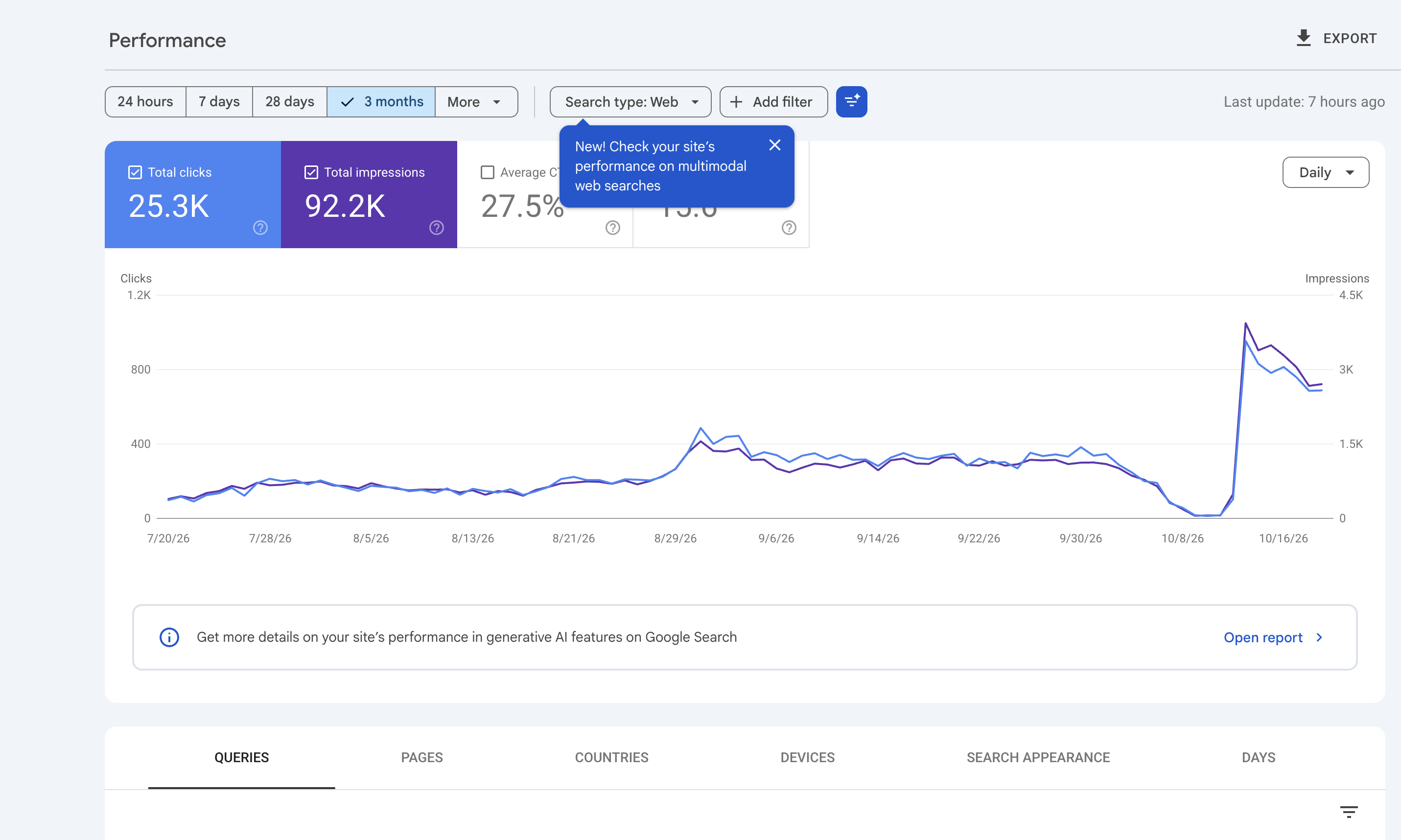
Search Console is the only place Google tells you directly which queries you appear for, how often, and how many clicks you get. Set it up first. Nothing else in this list replaces it.
One detail most small business owners miss: Google counts AI Overviews and AI Mode traffic inside the Web search type in the Performance report. It isn't split out. So your Search Console numbers already include AI search on Google, you just can't isolate it there. The same page confirms there is no special markup or extra optimisation required to appear in those AI features. A page needs to be indexed and eligible to show a snippet.
Where it stops: it only shows queries you already appear for. It won't tell you what to target next, and it says nothing about ChatGPT or Perplexity.
Personal opinion - One of the best tool to find which page is getting how much traffic and ranking positions. Also to get your page indexed on google the first step is to make a account in search console and verify it.
Google Business Profile
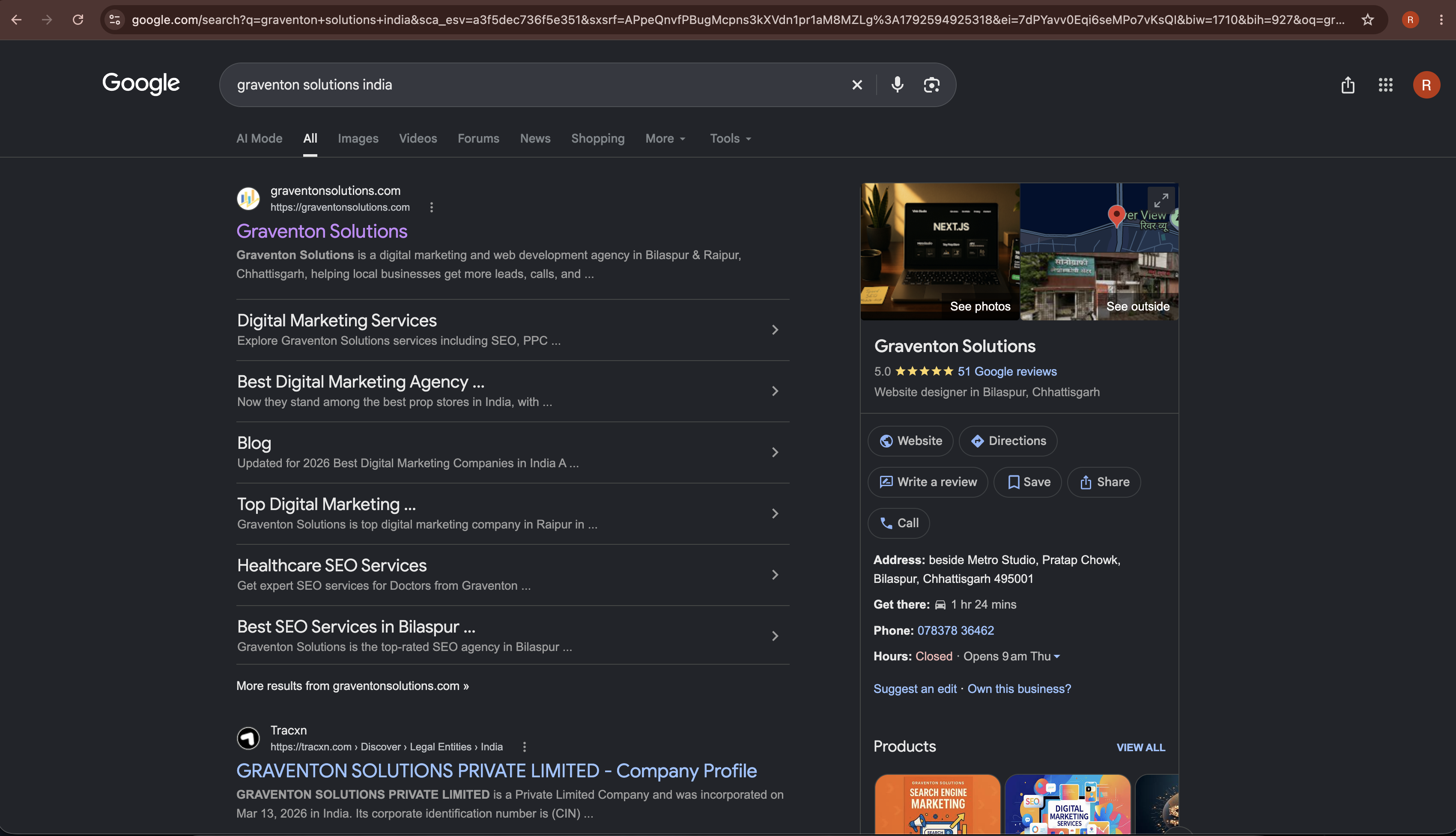
If you serve customers in a physical area, Google Business Profile is your most valuable free asset for local SEO. Fill every field, pick the most specific primary category, add real photos, and reply to every review.
Where it stops: it manages your listing. It doesn't show how you rank in the local pack against competitors over time.
Personal Opinion - If you have local business this is the best thing to promote your business. But first you need to research and make you listing stand out with good reviews.
Bing Webmaster Tools
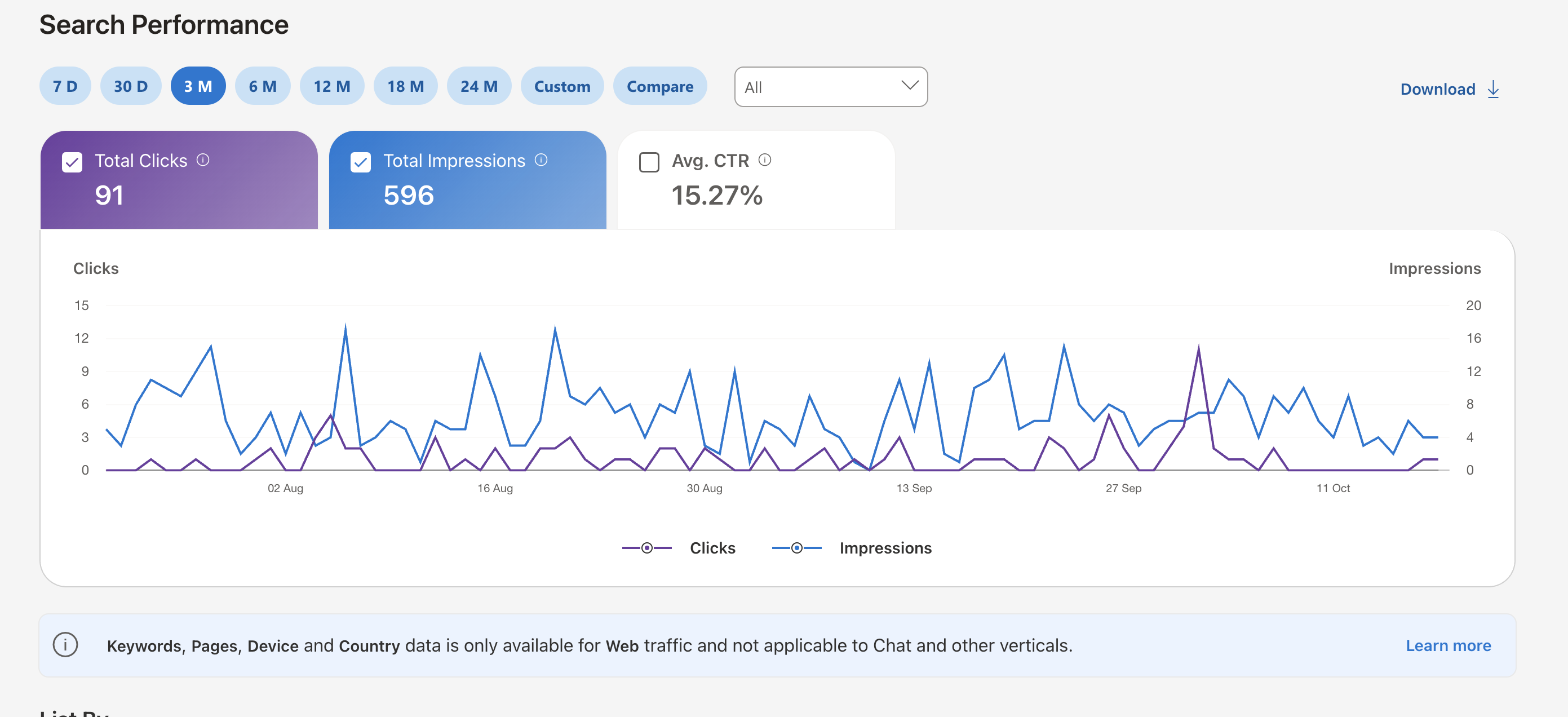
This is the most underrated free tool in small business SEO right now, because of one report. Bing Webmaster Tools now has an AI Performance report. According to Practical Ecommerce's breakdown of the June 2026 update, it shows citations of your site in Microsoft Copilot and Bing's AI summaries, the grounding queries the AI used, and which of your pages were cited. It doesn't show clicks or views.
That's free, first-party AI citation data. Verify your site and check it monthly.
Where it stops: it covers Microsoft's AI surfaces only. ChatGPT, Perplexity, Gemini and Claude are outside it.
Personal Overview - Its a great tool, most computer still has bing as a default search engine and many people search in bing so you should always verify your site in bing as well so that in every space you rank.
Personal Overview - One of the best tool to understand traffic their location, user behaviour all at once but first make sure you connect to this via tag manager. Also Ai Performance is the thing you should search for.
Google Analytics 4
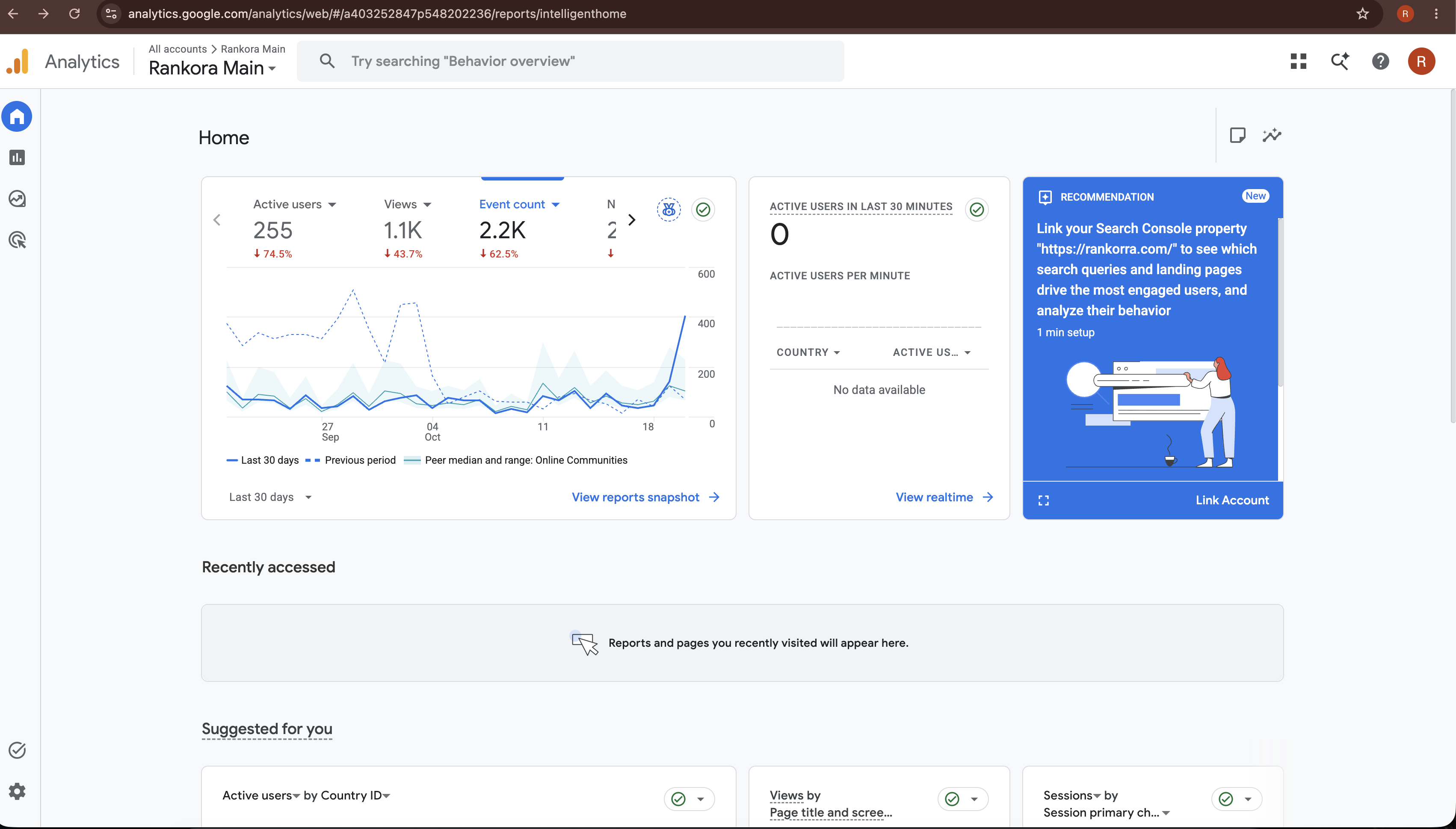
GA4 tells you what visitors did after they arrived. For small businesses, set up two things and ignore the rest: conversion events (calls, form fills, bookings) and the traffic acquisition report. AI assistants that link to sources send visits that show up as referrals, so watch that report for AI domains in your referral list.
Where it stops: it sees visits. It can't see the AI answers where you were mentioned but nobody clicked.
Screaming Frog SEO Spider (free version)
The free version of Screaming Frog crawls up to 500 URLs. Most small business sites are well under that. Run it once a quarter to catch broken links, missing titles and redirect chains.
Where it stops: past 500 URLs you need the paid licence, listed at $279 a year. It also hands you raw data, not a priority order. You still have to decide what to fix first.
Personal Opinion - Never used it but have heard that is is also a great tool to find bugs in your site.
The paid layer: Rankora Growth at $29 a month
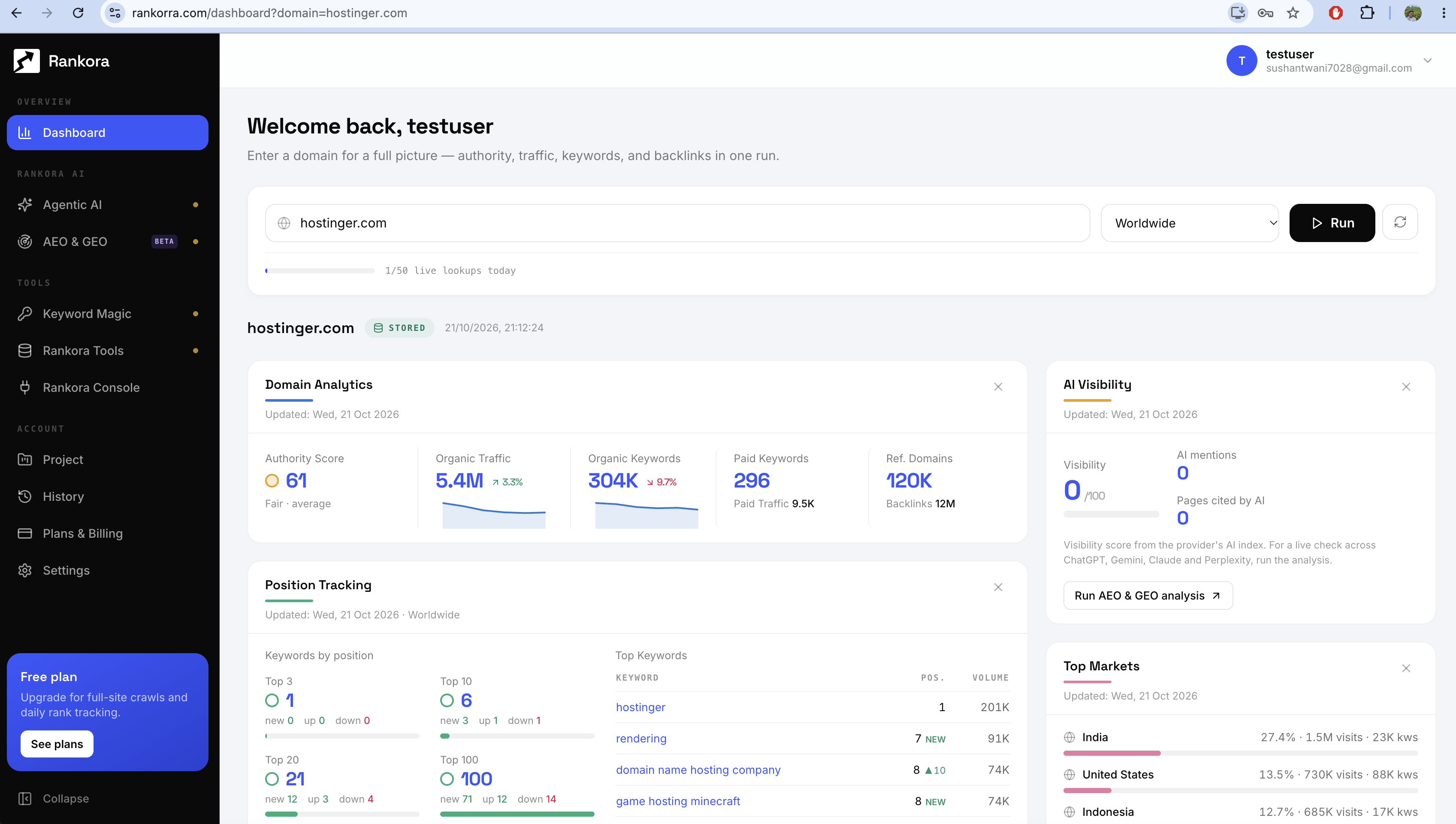
Here's the gap the free layer leaves. No keyword research. No daily rank tracking. No visibility into four of the five AI assistants your customers use. That's the job Rankora's Growth plan does, and it's why the stack has exactly one paid line.
On Rankora's pricing page, Growth is $29 a month with unlimited research and 5,000 tracked keywords. A small business with 20 to 50 target keywords won't touch that ceiling. Here's what it covers, mapped to the gaps above.
Keyword targeting. AI keyword research that ranks opportunities by win probability scores each keyword against your site's current authority, not search volume alone. A new local site shouldn't chase the same terms as a national brand. This tells you which terms you can actually win.
Rank tracking. Daily rank checks on desktop and mobile flag when you win or lose a featured snippet, local pack or AI Overview placement, and overlay up to five competitors on the same timeline.
AI visibility. AI visibility tracking across ChatGPT, Perplexity, Gemini and Claude runs a fixed prompt set each week and records whether you're mentioned, where in the answer, and whether the mention is positive, neutral or negative. It compares that against your named competitors.
Technical fixes and content. The technical audit runs 36+ checks in one pass and orders issues by projected ranking impact, which solves the "raw data, no priorities" problem from the free crawler. The content optimiser scores a page for keyword coverage and for how quotable each section is to an AI engine.
Put together, Bing tells you about Copilot, Search Console tells you about Google, and Rankora covers the rest plus the targeting layer neither of them offers.
How to use Rankora for maximum results
Owning the tool is the easy part. Here's the setup and routine that gets the most out of it.
Week one: set up in this order
Run the technical audit on your homepage and top service page. Fix only the top five issues on the impact-ranked list. Don't touch anything else yet. Indexing problems make every other step pointless.
Enter your domain in keyword research. Filter for terms with high win probability. Pick 20 to 30. Prefer terms with buyer intent ("emergency plumber near me") over research terms ("how do pipes freeze").
Send that shortlist to rank tracking. Add your two or three closest local or direct competitors as overlays. You now have a baseline.
Add your brand and the same competitors to AI visibility tracking. Use prompts your customers would actually type into ChatGPT, such as "best accountant for small businesses in Pune" or "which CRM is cheapest for a 5 person team." Ten prompts is enough to start.
Score your top three pages in the content optimiser. Note the AI-citability score for each. That's your starting number.
Every week: the 30-minute routine
Minutes | Task | What you're looking for |
|---|---|---|
0 to 5 | Check rank-drop alerts | Any keyword that fell past your threshold |
5 to 10 | Read the weekly AI visibility report | Prompts where a competitor is cited and you aren't |
10 to 25 | Fix one gap | Take one missing prompt, open the matching page in the content optimiser, apply the suggested edits |
25 to 30 | Re-score and log it | Confirm the score moved before republishing |
One page improved per week is 52 pages a year. For a small business site, that's usually every page that matters.
3 habits that get the most out of Rankora
Fix the omission, not the ranking. When AI visibility shows a competitor cited on a prompt where you're missing, the cause is usually content, not authority. The page doesn't answer the question in a block an AI engine can lift. That's the exact pattern we broke down in how to structure pages so answer engines quote them.
Track fewer keywords, act on all of them. 30 keywords you check weekly beats 500 you never open. The 5,000-keyword ceiling is room to grow into, not a target.
Treat Google and AI as one job. On one client site, standard SEO took it to #1 on Google and LLMs started citing it with no dedicated GEO work. The full story of that site is the case for running both from one routine instead of two separate projects.
Not ready to pay? Start on the free tier
Rankora's free tier includes one audit a month and 50 keywords. Spend the audit on your highest-traffic page, and spend the 50 keywords on your buyer-intent shortlist from week one. Upgrade when you want AI visibility tracking, which starts on the paid plans.
When a small business outgrows this stack
Be honest about the ceiling. This stack is built for a site with tens to a few hundred pages and one location or one market. Move up a tier when:
You manage SEO for several clients or brands. That's an agency setup, not a small business one.
You need more than one person in the account with separate access.
Your site grows into thousands of pages and crawling becomes a weekly job.
Until then, more software doesn't produce more rankings. More fixed pages do.
FAQ: SEO tools for small business
What are the best SEO tools for small business on a tight budget?
Start with the free core: Google Search Console, Google Business Profile, Bing Webmaster Tools, Google Analytics 4 and the free version of Screaming Frog. Add one paid tool for keyword research, rank tracking and AI visibility. Rankora's Growth plan does all three for $29 a month, which keeps the full stack well under $50.
Can free SEO tools alone rank a small business?
Free tools can get a site indexed, listed on Maps and technically clean. What they can't do is tell you which new keywords you can win, track daily ranking changes against competitors, or show whether ChatGPT, Perplexity, Gemini or Claude recommend you. Without that, you're fixing what's visible and guessing at the rest.
Do I need a separate GEO tool for AI search?
You need AI visibility data, but not necessarily a separate tool. Bing Webmaster Tools gives free Copilot citation data. For ChatGPT, Perplexity, Gemini and Claude, you need a tracker that queries those assistants directly. Rankora includes this in the same plan as its SEO tools, so it doesn't add a second subscription. Most important is the keyword research which is the mist useful feature to find out in which keyword you want to rank.
Does Google Search Console show AI Overviews traffic?
Yes, but not separately. Google includes AI Overviews and AI Mode data inside the Web search type in the Performance report. You see the combined total, not an AI-only breakdown. Google also states there is no special markup needed to appear in these features beyond being indexed and eligible for a snippet.
How much time does this stack take each week?
About 30 minutes once the first week of setup is done. Check rank alerts, read the weekly AI visibility report, improve one page using the content optimiser, and re-score it before republishing. Add a quarterly crawl and a monthly check of Bing's AI Performance report.
Your first step today
Verify your site in Bing Webmaster Tools and open the AI Performance report. It's free, it takes ten minutes, and it's the first look most small businesses have ever had at whether AI cites them at all. Then decide if you want to see the other four assistants.